
Start with one real batch.
Set up the shop, release familiar work and review the first shift together.
See a demoSee how it works
A small first step through the whole record.
Use a representative route and delivery. Review its entries before expanding to the rest of the plant.
- 1
Prepare
Map your familiar work.
Operations · Shifts · Roles - 2
Release
Start with one batch.
Drawing revision · Route - 3
Record
Review a first shift.
Crew · Output · Stops - 4
Review
Check the entries together.
Progress · Holds · Report
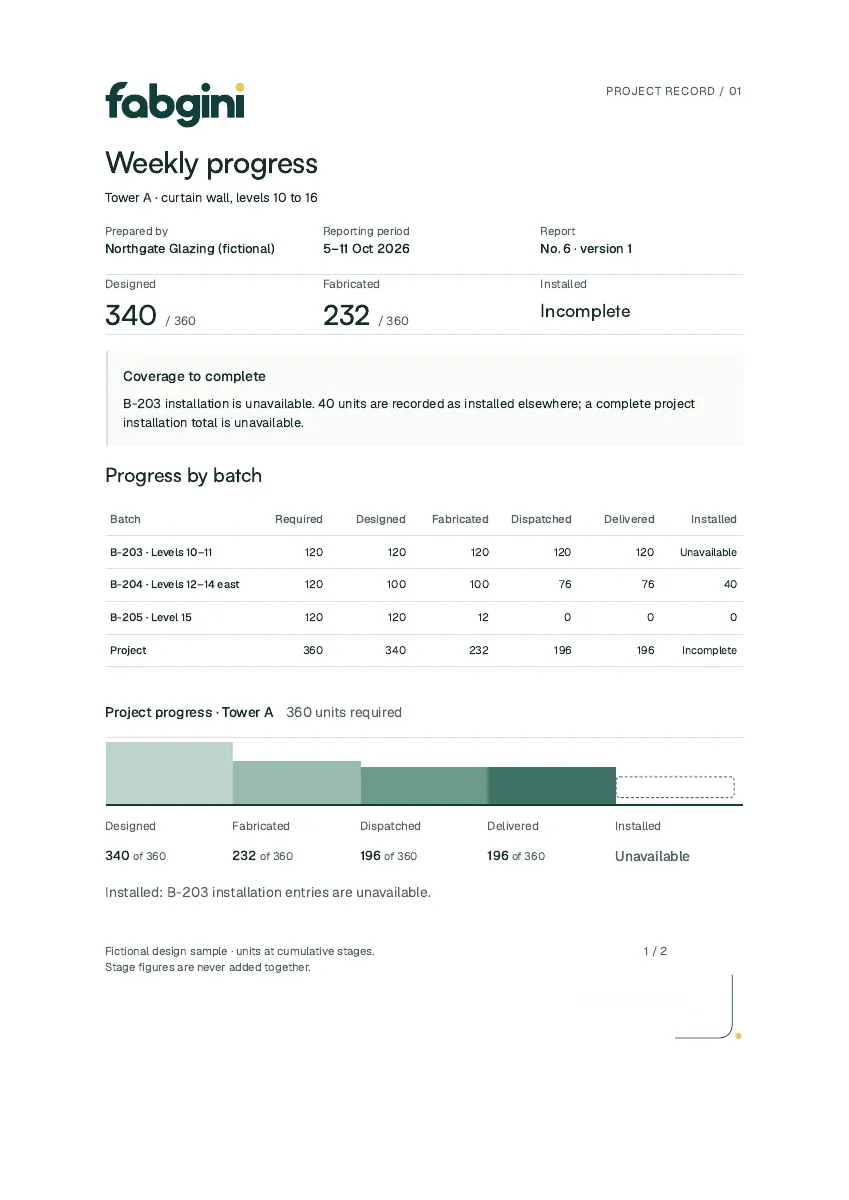 Review the sample report (PDF)
Prepare
Your operations, shifts and roles.
Try
A representative batch and shift.
Review
Read the progress and its source entries.
How this works in detail
Run the setup wizard.
The wizard takes you through your plant, workstations, routes, shifts and working calendar. Ready-made routes for window, storefront and curtain-wall work and Canadian and US holiday lists get you started quickly.
Add your people and your jobs.
Invite the leads, managers and administrators who need access, and import your job list from a spreadsheet. Line workers are counted in their lead’s crew record and need no login.
Start with one representative batch.
Pick work with a normal production sequence and a clear site handoff. Attach its drawings and release it to the floor.
Review the first shift together.
Check output, stops, crew changes and holds, then read the batch’s stage counts and its first report. From there, the rest of the plant follows the same pattern.
How long does setup take?
The setup wizard covers plant, workstations, routes, shifts and calendar in one sitting, and a job list can be imported from a spreadsheet. Most of the time goes into deciding your routes, which ready-made templates shorten.