
Projects and planning
Give the floor a clear starting point. Keep projects, batches, drawings and revisions together. Release work orders with a product flow, so the required operations are known before work begins.
Track fabrication, site handoffs and project progress from the same recorded work.
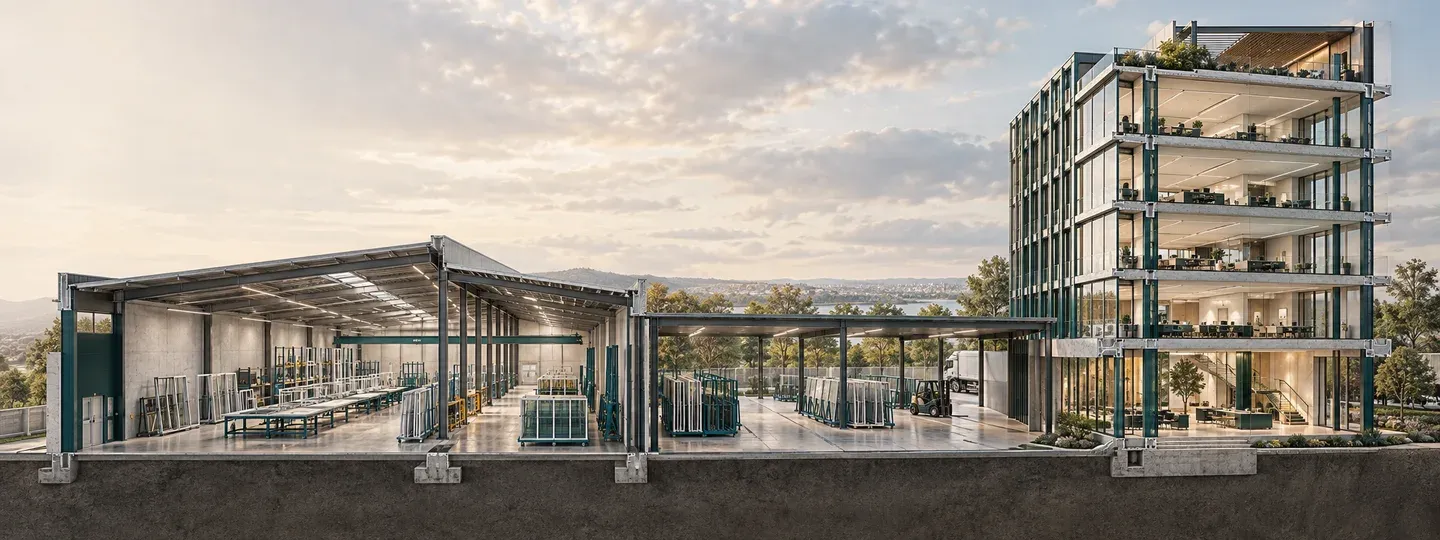
Drawings explain what to make. The flow sets the operations. Entries explain what happened.
The destination, customer and work to deliver.
The units and drawings that belong together.
The released work and its required operations.
What happened, when, where and why.
The project answer, built from recorded work.
Planning, production, quality and reporting belong to the same story. Follow the part of the record that matters to your next decision.
Give the floor a clear starting point. Keep projects, batches, drawings and revisions together. Release work orders with a product flow, so the required operations are known before work begins.
Record the work while it happens. Capture the crew count, setup, production, stops and cleanup at the workstation. Work centres and shifts give each entry its operating context.
Keep the reason with the problem. Record a hold, investigate its cause and send units back to the operation that needs attention. The original failure stays in history through reinspection.
Follow the next handoff. Keep dispatch, delivery and installation separate. Partial quantities stay visible, so a truck leaving the plant does not make its whole load installed.
Find the loss behind the total. Read stopped time, scrap, rework and people-hours by workstation and shift. Missing inputs carry a reason instead of becoming a reassuring zero.
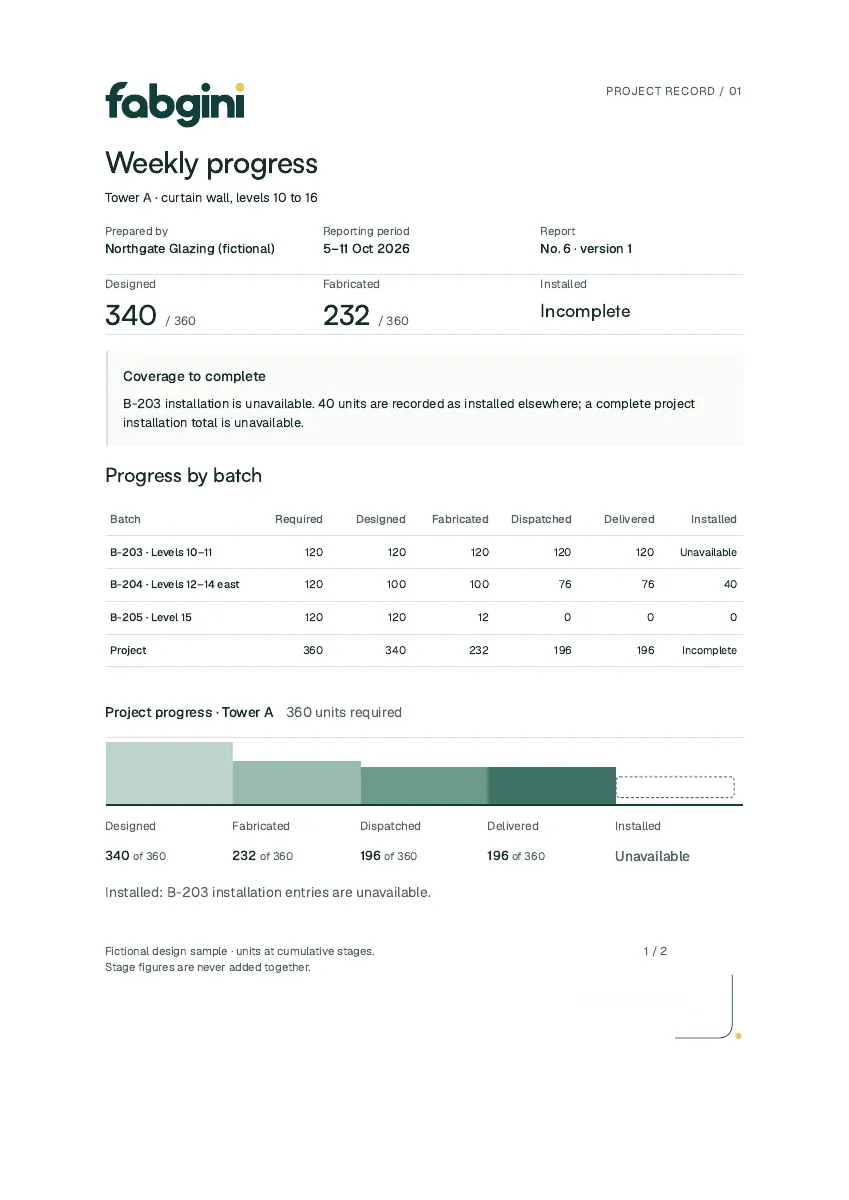
Answer with the production record. Bring the recorded stage counts, holds and progress into a weekly report for the general contractor, with your company identity and the supporting detail.
Fabgini counts each batch at five stages: designed, fabricated, dispatched, delivered and installed, in units and in square feet. A manager sees exactly where the work stopped moving and who owns the next handoff.
Fictional example: Tower A, batch B-204, 120 required units. Open a stage to see what its count means.
The recorded batch design identifies which units and drawing revision are ready for making. It does not mean those units have been made.
Recorded completions through the required operations support the fabricated count. A unit sent back for rework must complete its required route again.
The dispatch entry identifies the units handed over for transport. The remaining fabricated units can still be waiting at the plant.
Site receipt confirms delivery separately from dispatch. Delivered units can be waiting for installation; arrival is not installation.
Installation entries support this count. A second-person installation check remains a separate quality record, rather than a sixth progress stage.
These counts are cumulative: the same units appear at several stages. Do not add them together. Square-foot progress uses recorded dimensions; missing area stays unavailable.
100 fabricated / 120 required units
40 installed / 76 dispatched units
40 installed / 120 required units
Fictional batch B-204. Stage shares and installation progress are separate from the workflow’s weighted percent complete.
Follow the factory-to-site handoffA missing figure shows as Unavailable with the reason, never as zero. Corrections keep the original entry, and every figure traces back to the entry and the login that recorded it.
Start with “76 delivered”. Follow the batch to the site receipt and the units it covers. Keep the recorded event and its author in view when a quantity needs explaining.
The correction retains the original entry in history. Progress follows the corrected record, while the earlier event remains available to explain the change.
The sample report shows the same five stages. An incomplete installation figure stays incomplete, rather than being filled with an invented total.
Fabgini records what was made, moved and installed. Estimating, purchasing, payroll, billing claims and machine control stay in the systems you already run.
Start with your own operations, product flows and workstations. The Starter Club and Pilot Program each cover one plant. A custom quote can cover more plants, with one plant selected at a time.
See what getting started involvesFabgini is production and progress tracking software for commercial window, storefront and curtain-wall fabricators in Canada and the United States. It counts every unit from designed to installed and prepares a weekly progress report for the general contractor.
No. Fabgini is the production and progress record. It works beside your estimating, purchasing and accounting software and does not do estimating, purchasing, payroll, billing claims or machine control.
The Starter Club covers one plant. More plants are added through a custom quote, each with its own workstations, routes and records.
Walk through the work, the holds, the handoffs and the report. See where Fabgini fits your shop.
See a demoMay we use analytics cookies to understand which pages are useful? You can say no and still use the whole site. Change your choice anytime through Privacy choices in the footer. Read our privacy notice.