
Show the progress. Keep its source.
The project report starts with recorded work. Every stage count has an entry behind it.
See a demoSee how it works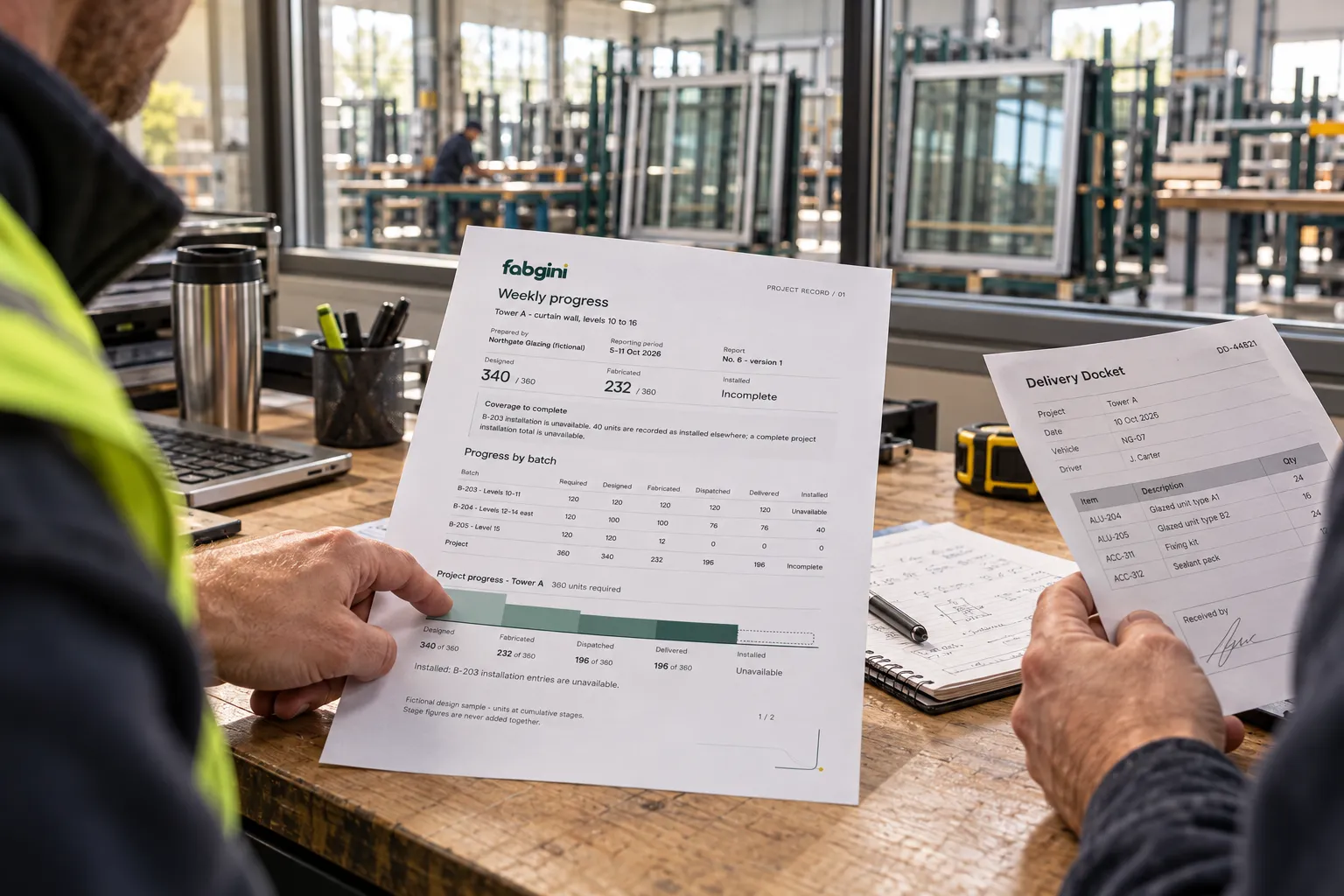
Open the report. Follow the figure.
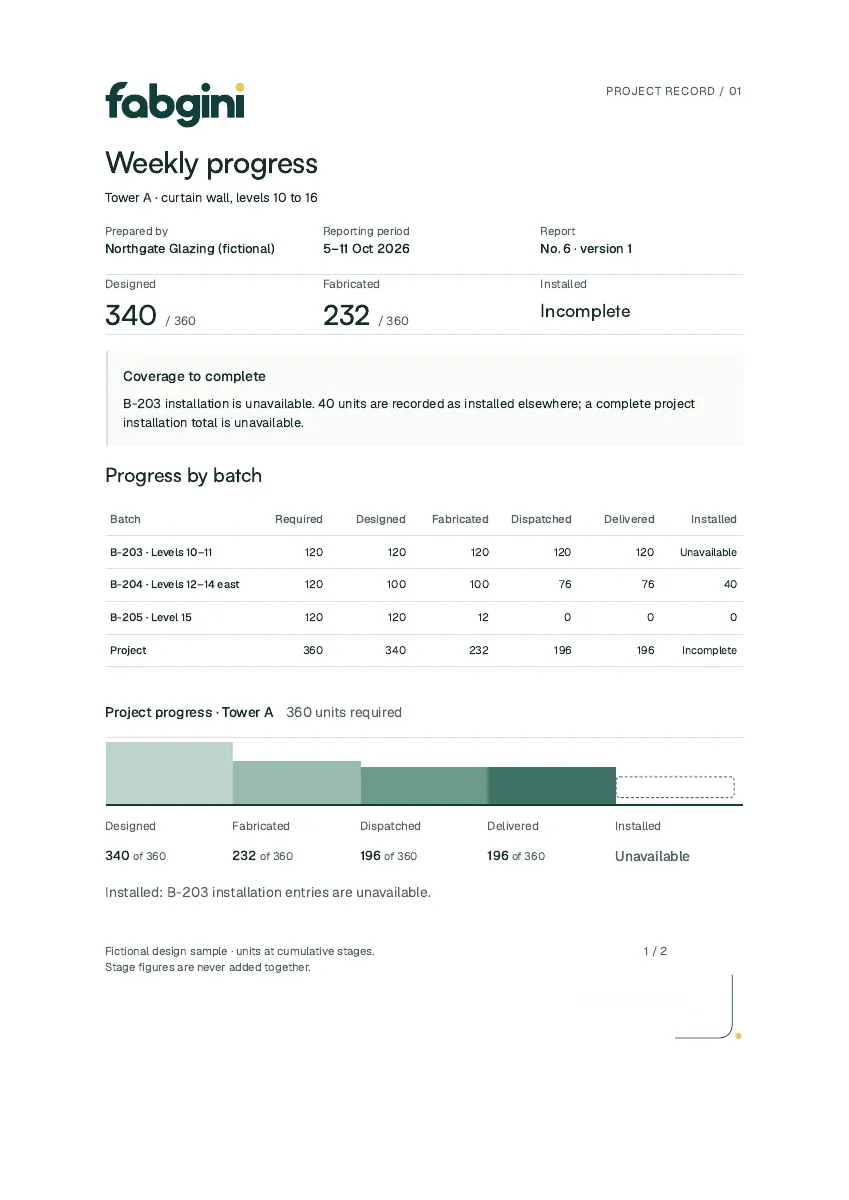
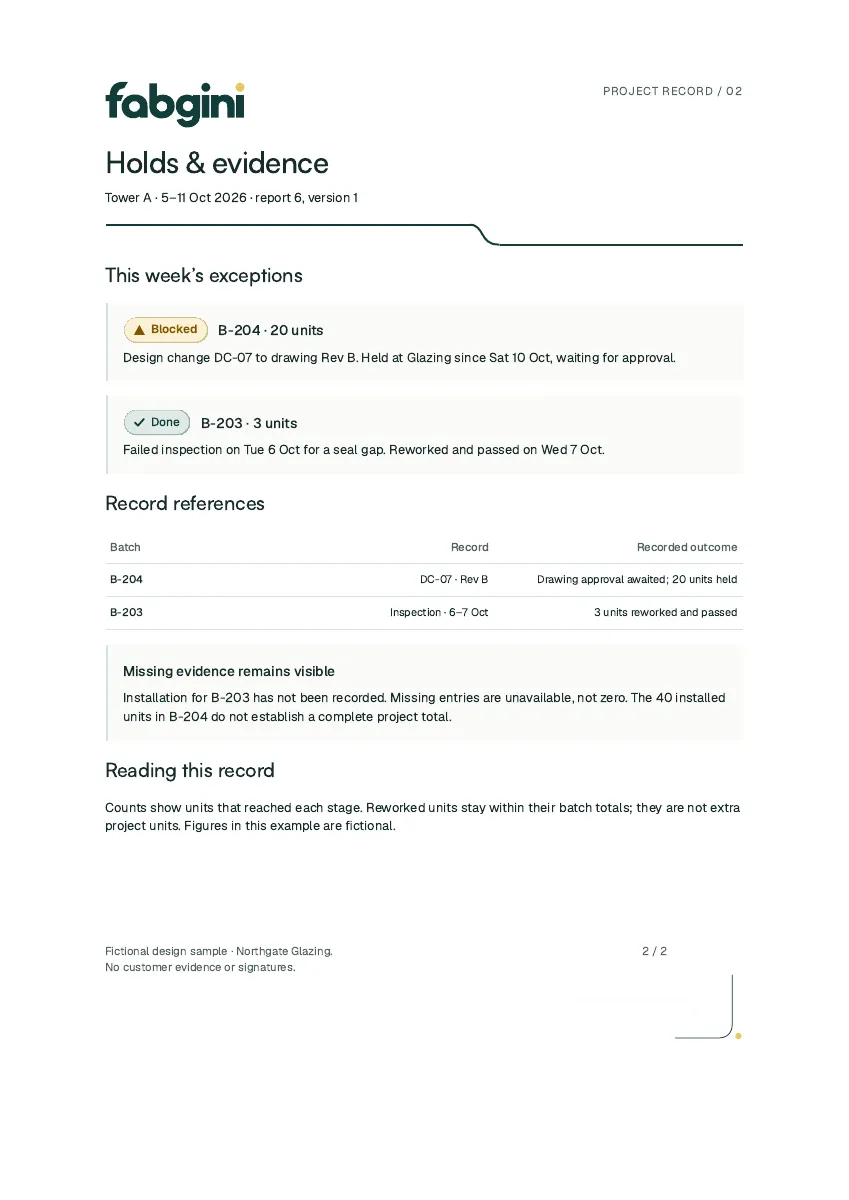
The approved sample shows stage quantities, holds and evidence. Fictional project data; incomplete installation stays incomplete.
Read the KPIs beside the quantities.
KPIs for fictional batch B-204 only. The sample report’s project-wide installation total remains incomplete.
- Fabricated share
- 83.3%
100 fabricated / 120 required units
- Installation progress
- 52.6%
40 installed / 76 dispatched units
- Installed share
- 33.3%
40 installed / 120 required units
Project
Read progress by batch.
Evidence
Keep the hold and its reason in view.
Share
Use the weekly report in the project conversation.
How this works in detail
The five stages, per batch.
The report shows how many units are designed, fabricated, dispatched, delivered and installed, in units and square feet, and what changed during the week.
Every status has its reason.
A held batch, a delivery gap or a design change shows with its reason, so the general contractor sees why a date moved and what happens next.
Traceable to the entry.
Every figure traces back to the entry and the login that recorded it. Corrections keep the earlier entry, so the history behind a number is always there.
Your name on the report.
Reports carry your company name and logo beside Fabgini’s. Print the report or save it as PDF; report email and read-only sharing are added through a quote.
What is in the Fabgini weekly progress report?
For one project, the units designed, fabricated, dispatched, delivered and installed, in units and square feet, what changed during the week and the reason behind each status. It is made for the fabricator to send to its general contractor.
Is automatic report email included?
The Starter Club includes printing and saving as PDF. Report email and read-only sharing are added through a quote.